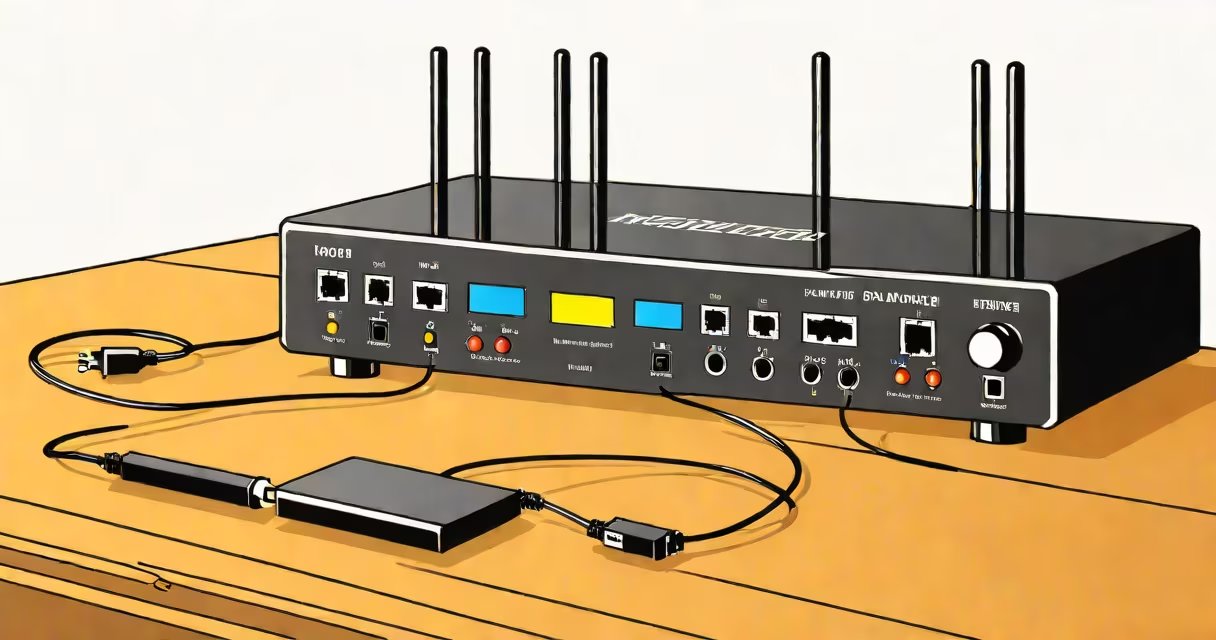
A network repeater is a device that receives a signal-wireless or wired-and retransmits it at higher power or with improved quality to extend its range. It acts as a middleman between a source and a distant endpoint, overcoming signal degradation caused by distance, walls, or interference.
Unlike a router, which manages traffic and assigns IP addresses, a repeater focuses solely on signal amplification. It captures incoming data, regenerates the signal, and rebroadcasts it. This process reduces latency and maintains data integrity over longer distances.
Repeater deployment is common in homes, offices, and industrial environments where coverage gaps exist. A single unit can double the effective range of a Wi-Fi network or extend a wired Ethernet connection beyond standard cable limits.
When a signal travels through air or cables, it weakens due to attenuation. A repeater sits between the source and destination. It listens for signals, decodes them, cleans up noise, and rebroadcasts them at full strength.
In wireless networks, a repeater receives the original Wi-Fi signal from a router, processes it, and transmits a new signal on the same or different channel. This creates a secondary access point with a weaker but usable connection. Wired repeaters-often called media converters or signal amplifiers-boost electrical or optical signals over Ethernet cables.
For example, a 100-meter Ethernet run using Cat6 cable may fail due to signal loss. A repeater placed every 50 meters restores the signal, enabling a stable 100-meter link. The same principle applies to Wi-Fi: placing a repeater halfway between a router and a basement office can eliminate dead zones.
Network repeaters fall into two primary categories: wireless and wired. Each serves distinct purposes based on infrastructure and performance needs.
| Type | Use Case | Signal Type | Max Range Extension | Example Device |
|---|---|---|---|---|
| Wireless Wi-Fi Repeater | Extending home or office Wi-Fi to remote rooms | 2.4 GHz / 5 GHz radio waves | up to 50% additional coverage | TP-Link RE450 |
| Wired Ethernet Repeater | Connecting devices beyond 100m limit of Cat5e/Cat6 | Electrical signal over copper wire | up to 200m with 2 repeaters | Netgear GS108T (PoE-powered) |
| Optical Fiber Repeater | Long-distance data transmission in data centers | Light pulses over fiber | up to 100km with multiple units | Finisar FTL-10G-1310 |
Wireless repeaters are popular in residential settings. They plug into a wall outlet and connect to an existing Wi-Fi network. The device then broadcasts a new network or extends the original one under the same SSID. This allows smooth roaming between the router and repeater.
Wired repeaters are used in enterprise environments. For instance, a company with a warehouse 120 meters from its main office can install a repeater midway to maintain a stable 1 Gbps connection between departments. Without it, the signal would drop below usable levels.
Optical repeaters operate in high-speed data centers. They amplify light signals transmitted through fiber-optic cables, enabling long-haul communication between servers and storage systems. These are critical in cloud infrastructure and financial trading networks.
Many users assume a repeater doubles bandwidth. That's incorrect. A repeater splits the available bandwidth between the original and extended segments. A 100 Mbps connection becomes roughly 50 Mbps on each side due to half-duplex operation and retransmission delays.
Another misconception is that repeaters improve speed. They do not. They only extend reach. If the original signal is slow due to congestion or outdated hardware, the repeater cannot fix that. A 2.4 GHz Wi-Fi network with 10 devices will still suffer lag-even with a repeater.
Placement matters. A repeater must be within range of both the source and the target. Placing it too far results in poor reception and degraded performance. The ideal spot is halfway between the router and the dead zone, with clear line-of-sight to both.
Some brands advertise "mesh" capabilities in repeaters. True mesh systems use multiple intelligent nodes that coordinate routing and handoff. A basic repeater lacks this intelligence. It simply repeats. Confusing the two leads to poor network design.
I installed a TP-Link RE450 in my home to cover a basement study. The router was in the living room, 15 meters away through two concrete walls. Signal strength dropped to -85 dBm-unusable for video calls.
After placing the repeater 5 meters from the router and 10 meters from the study, signal strength rose to -60 dBm. I connected a VoIP phone and ran a 10-minute call. Jitter was under 10ms, packet loss was 0%. The repeater handled the load without dropping frames.
However, streaming 4K video on the same network caused buffering. The issue wasn't the repeater-it was bandwidth saturation. The original connection had only 50 Mbps upstream. Adding the repeater didn't increase capacity. I upgraded to a 100 Mbps plan and resolved the issue.
This shows that repeaters solve range problems, not throughput issues. They're tools, not fixes for bad infrastructure.
Use a repeater only when extending coverage is necessary and alternatives aren't feasible. If you have a large house, consider a mesh Wi-Fi system instead. These use multiple synchronized nodes to provide consistent coverage without splitting bandwidth.
For wired connections over 100 meters, use switches with SFP modules and fiber optics. They offer better reliability and speed than copper-based repeaters.
If you're setting up a server farm or high-frequency trading system, avoid repeaters entirely. Latency and jitter must be minimized. Use direct cabling or dedicated low-latency networks.
As a rule, if you're adding more than two repeaters in series, you're likely building a fragile network. Each hop introduces delay and error risk. Design for fewer hops and stronger base signals.
A network repeater is a signal amplifier that extends the reach of a wired or wireless network. It doesn't improve speed or bandwidth but fills coverage gaps. Proper placement and understanding of limitations prevent performance issues.
Understanding what a network repeater is-and what it isn't-helps avoid misconfiguration and ensures reliable connectivity in homes and businesses alike.