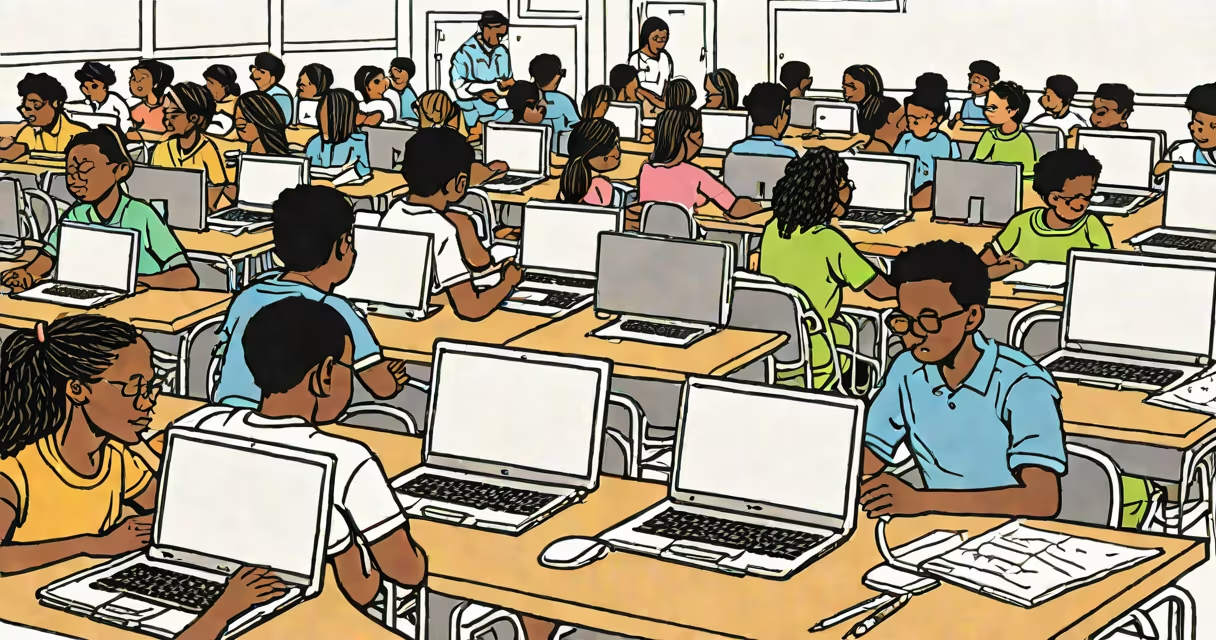
Computers in schools refer to the use of digital devices-laptops, desktops, tablets, and interactive displays-in teaching, learning, and administrative functions within educational institutions. They support curriculum delivery, student research, assessment, and skill development in technology and critical thinking.
These systems are integrated into classrooms, computer labs, libraries, and administrative offices. They enable access to digital textbooks, online assessments, collaborative tools like Google Workspace, and specialized software for subjects such as coding, science simulations, and graphic design. Schools deploy computers through one-to-one device programs, shared lab rotations, or hybrid models based on funding and infrastructure.
According to the National Center for Education Statistics (NCES), 94% of public schools in the U.S. had internet access in 2021, and 92% had instructional computers available. This reflects widespread adoption, though disparities remain between urban, rural, and low-income districts.
Computers in schools operate as endpoints in a networked environment. Devices connect to local area networks (LANs) or Wi-Fi, accessing centralized servers, cloud platforms, and educational software. Teachers assign tasks via learning management systems (LMS) like Canvas or Schoology, which track progress and deliver feedback.
Students use computers for research, document creation, multimedia projects, and standardized testing. For example, during state assessments, many schools administer exams digitally-students read prompts, select answers, and submit responses through secure web portals. This reduces grading time and allows for immediate performance analytics.
A typical middle school math class might use a computer to run a simulation of projectile motion. Students adjust variables like angle and velocity in real time, observe changes in trajectory, and record outcomes. This hands-on modeling reinforces physics concepts better than static diagrams.
Schools adopt different hardware and deployment models based on budget, grade level, and curriculum needs. Common configurations include:
| Type | Use Case | Examples | Cost Range (per unit) |
|---|---|---|---|
| Desktops | Computer labs, library stations | Dell OptiPlex, HP EliteDesk | $600-$1,200 |
| Laptops | One-to-one programs, mobile classrooms | Chromebooks, Apple MacBook Air | $250-$1,000 |
| Tablets | Early childhood education, special needs | Apple iPad, Samsung Galaxy Tab | $300-$600 |
| Interactive whiteboards | Whole-class instruction, visual aids | SMART Board, Promethean ActivPanel | $1,000-$3,000 |
Chromebooks dominate K-12 environments due to low cost, long battery life, and easy management via Google Admin Console. A 2022 study by the Consortium for School Networking (CoSN) found that 78% of U.S. school districts used Chromebooks as their primary student device.
Some schools implement bring-your-own-device (BYOD) policies, allowing students to use personal laptops or tablets. This reduces procurement costs but introduces challenges in standardization and technical support.
One widespread misunderstanding is that computers in schools replace teachers. That's incorrect. Computers serve as tools to extend instruction-not replace human judgment, empathy, or pedagogical expertise. A teacher still designs lessons, monitors engagement, and provides individualized feedback.
Another myth is that all students have equal access. In reality, the digital divide persists. A 2020 Pew Research Center report found that 15% of U.S. households with school-aged children lacked consistent high-speed internet at home. This gap disproportionately affects rural and low-income families, limiting remote learning effectiveness.
Some assume that using computers automatically improves test scores. Data from the U.S. Department of Education shows mixed results: while digital tools boost engagement and collaboration, gains in standardized math and reading scores are modest unless paired with professional development and aligned curricula.
In 2019, the Westfield Unified School District in California launched a district-wide one-to-one program. All 6,500 students in grades 6-12 received a Chromebook. The rollout included training for staff, updated bandwidth infrastructure, and a helpdesk system.
Within one year, teachers reported a 30% increase in student participation during project-based assignments. For instance, a 9th-grade biology class used virtual dissection software to explore frog anatomy. Students manipulated digital organs, labeled structures, and answered guided questions-all without physical specimens.
Administrators tracked usage patterns through the district's LMS. They found that students spent an average of 1.8 hours per week on assigned digital activities, with completion rates rising from 68% to 89%. The district also reduced paper waste by 40% annually.
However, challenges emerged. Some students misused devices during class. The district responded by implementing classroom management software (like GoGuardian) to monitor browsing and restrict non-educational sites during instructional time.
Computers in schools prepare students for a workforce increasingly reliant on digital skills. The World Economic Forum identifies data literacy, coding, and digital communication as core competencies for jobs in the next decade. Early exposure builds confidence and competence.
They also support inclusion. Text-to-speech tools help students with dyslexia. Screen readers assist visually impaired learners. Adaptive software adjusts difficulty levels based on performance-ideal for differentiated instruction.
For example, a student with ADHD may struggle to focus during lectures. Using a computer with a distraction-free writing app (like FocusWriter) and audio recordings of lessons enables better retention and organization.
When implemented thoughtfully, computers in schools are not just tools-they are enablers of equity, engagement, and lifelong learning. They reflect a shift from passive consumption to active creation, where students don't just learn about technology, they use it to solve problems, tell stories, and build futures.