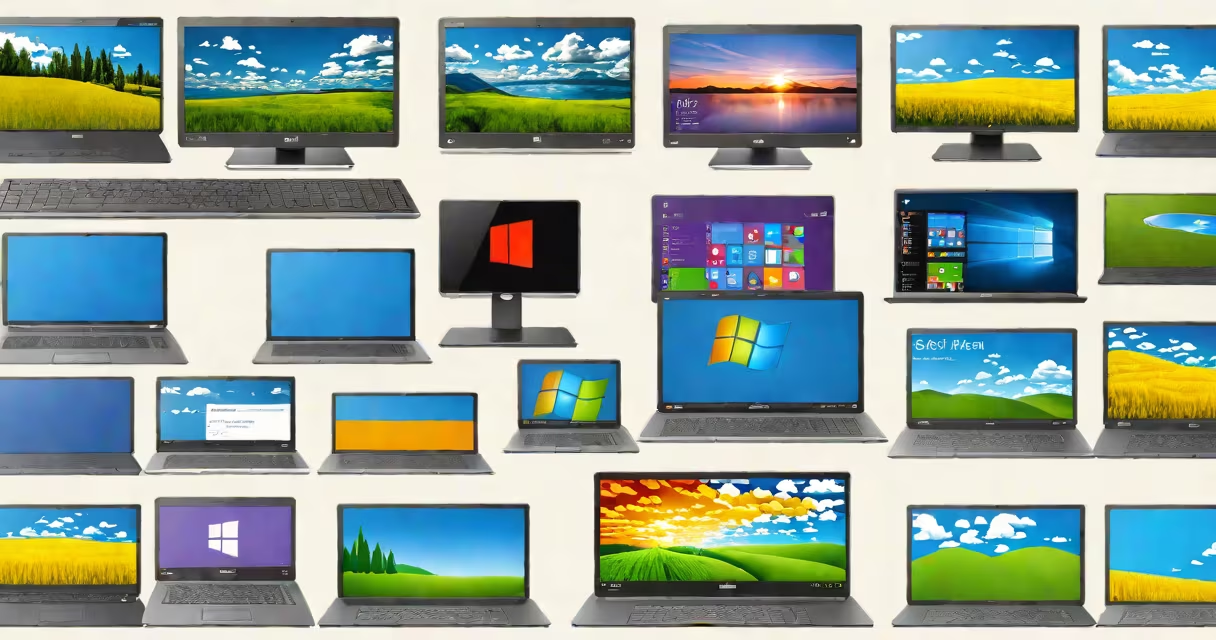
Different versions of Windows OS refer to the distinct iterations of Microsoft's flagship operating system released since 1985, each introducing new interface designs, security models, hardware support, and application ecosystems. These versions range from early graphical interfaces like Windows 1.0 to current releases such as Windows 11, which emphasize touch integration, performance tuning, and cloud synchronization.
The core function of any Windows OS version is to manage hardware resources, run applications, and provide a user interface. Over time, Microsoft shifted from 16-bit to 32-bit and then 64-bit architectures, improved stability, added networking capabilities, and enhanced security. Each major release introduced significant changes in design philosophy and underlying technology.
For example, Windows 95 was the first widely adopted version to feature a consistent graphical shell with the Start menu, taskbar, and plug-and-play device support. Windows XP brought reliability improvements and became the longest-supported consumer OS, with extended support ending in 2014. Windows 10 introduced universal apps, Cortana, and a hybrid desktop-touch interface. Windows 11, launched in 2021, removed the Start menu's traditional layout, centered the taskbar, and required TPM 2.0 and Secure Boot for installation.
Each version of Windows OS operates through a layered architecture. At the base is the kernel, responsible for memory management, process scheduling, and hardware abstraction. Above it sits the Executive Services layer, handling file systems, network stacks, and security policies. The User Mode layer runs applications and services, while the Graphical Subsystem (Windows Display Driver Model) renders visuals.
Modern versions like Windows 10 and 11 use a unified codebase called Windows NT, which evolved from the original Windows NT 3.1. This foundation allows for consistent behavior across devices-from laptops to tablets and ARM-based Surface devices. Updates are delivered via Windows Update, with major feature drops occurring annually on a staggered rollout schedule.
For instance, Windows 11 requires a Trusted Platform Module (TPM) 2.0 chip and Secure Boot enabled in UEFI firmware. This requirement excludes older machines, such as those with Intel Core i3 from 2011 or AMD APU models from 2012. As of 2023, Microsoft reported that 78% of active Windows 10 devices were upgraded to Windows 11 within 18 months of launch, according to internal telemetry data cited by The Verge.
Microsoft has released over 20 distinct versions of Windows OS since 1985. They fall into several categories based on purpose and audience:
| Version | Release Year | Target Audience | Key Innovation |
|---|---|---|---|
| Windows 1.0 | 1985 | Early adopters | First GUI for IBM PC compatibles |
| Windows 95 | 1995 | General consumers | Start menu, taskbar, Plug and Play |
| Windows XP | 2001 | Home and business users | Stability, visual themes, built-in firewall |
| Windows 7 | 2009 | Business and home users | Touch gestures, improved taskbar, Aero effects |
| Windows 10 | 2015 | Universal platform | Continual updates, universal apps, DirectX 12 |
| Windows 11 | 2021 | Modern devices | Centered taskbar, Snap Layouts, Android app support via Amazon Appstore |
Some versions were designed for niche markets. Windows CE (1996) targeted embedded systems like PDAs and industrial controllers. Windows Server editions focus on enterprise infrastructure, supporting Active Directory, Hyper-V virtualization, and domain management. Windows Embedded Compact (formerly Windows CE) ran on low-power processors in kiosks and medical devices.
A lesser-known fact: Windows 2000, released in 2000, was the last version to support the 32-bit x86 processor without requiring PAE (Physical Address Extension). This made it usable on machines with less than 4GB RAM, unlike later versions that mandated higher memory limits for certain features.
Many users confuse different versions of Windows OS based on branding or interface similarities. For example, Windows 8 and Windows 8.1 are often mistaken as entirely separate operating systems, but they share the same core codebase. The primary difference lies in updated features: Windows 8.1 reintroduced the Start button (though not the full Start menu), improved search, and better battery life on tablets.
Another frequent error is assuming that Windows 10 and Windows 11 are interchangeable. While both support the same core applications, Windows 11 enforces stricter hardware requirements. Devices without TPM 2.0 cannot install Windows 11 unless using a custom deployment tool like the Windows 11 Installation Assistant, which bypasses checks but voids warranty and support.
Users also misattribute performance issues to the OS itself. A slow Windows 10 machine may actually suffer from outdated drivers, fragmented storage, or malware rather than the OS version. According to a 2022 report by Malwarebytes, 34% of performance complaints on Windows 10 stemmed from third-party software conflicts, not OS inefficiency.
Consider a small business upgrading from Windows 7 to Windows 11. The IT team discovers that 12 out of 25 workstations lack TPM 2.0 chips. They must either replace hardware or deploy Windows 10 Extended Security Updates (ESU) until 2025. This scenario highlights how different versions of Windows OS affect long-term operational costs and migration planning.
Another example: a developer testing a web application across environments. They use VirtualBox to run Windows 95, Windows XP, and Windows 10 on a single host. The test reveals that Internet Explorer 6 (shipped with Windows XP) fails to render modern CSS grids, forcing the team to implement fallbacks for legacy compatibility.
I once spent a weekend troubleshooting a Windows 98 machine that wouldn't boot due to corrupted registry files. After restoring from a backup created via System Restore (a feature introduced in Windows Me), the system returned to normal. That experience taught me that even older versions of Windows OS had sophisticated recovery tools, though they were far less accessible than modern equivalents.
Different versions of Windows OS continue to evolve, balancing backward compatibility with innovation. Understanding their distinctions enables better choices in deployment, maintenance, and migration. The progression from Windows 1.0 to Windows 11 reflects decades of computing progress, driven by user needs, hardware advances, and competitive pressure.