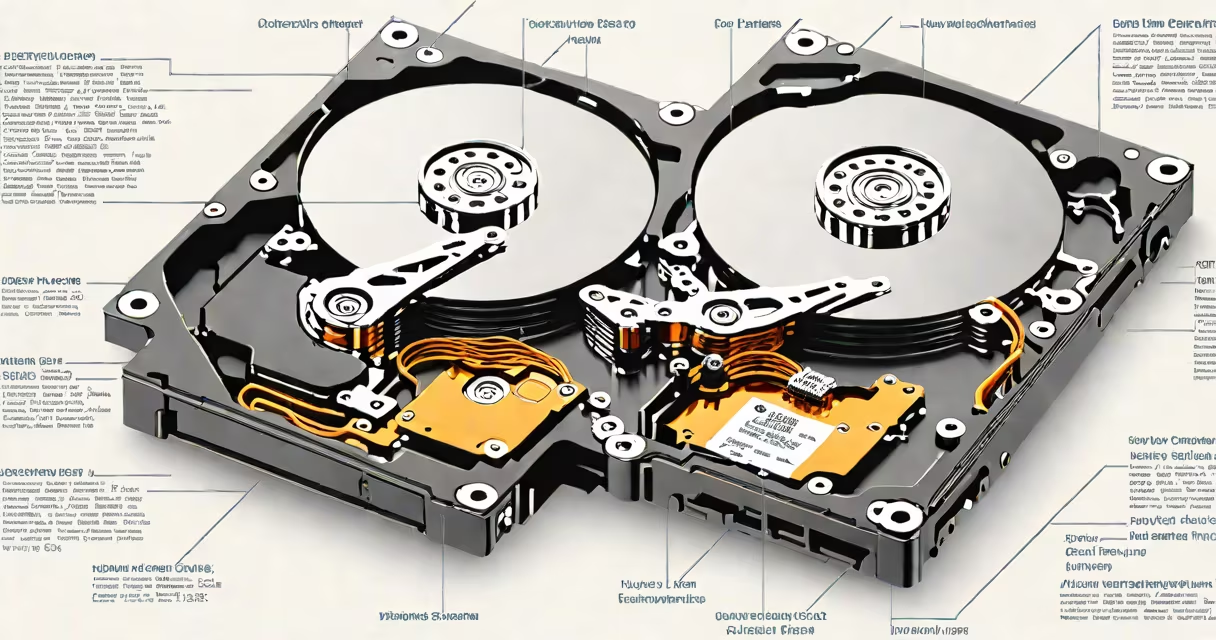
The purpose of a hard drive is to store digital data persistently, retaining files, operating systems, applications, and user content even when power is off. It serves as the primary long-term memory in computers and servers.
Hard drives function by using spinning magnetic platters and read/write heads that move across the surface to access stored information. Data is written as binary patterns-magnetized areas representing 1s and 0s-on concentric tracks. This mechanical design enables large-capacity storage at low cost per gigabyte.
Modern systems rely on hard drives for booting, running software, saving documents, and housing media libraries. Without one, a computer cannot retain data between sessions. Even with solid-state drives (SSDs) gaining ground, traditional hard drives remain central to data infrastructure.
A hard drive operates through precise mechanical and electronic coordination. Inside the sealed enclosure, one or more rigid platters spin at speeds ranging from 5,400 RPM to 15,000 RPM. A single actuator arm moves a read/write head across the platter surface, tracking data in concentric circles called tracks.
Data is organized into sectors-fixed-size blocks of 512 bytes or 4KB. The drive's controller manages how data is written, retrieved, and verified. When you save a file, the system maps it to available sectors, records the location in a file allocation table, and writes the bits magnetically.
For example, saving a 10 MB video file involves dividing it into 2,048 sectors. The drive's firmware assigns those sectors, ensures they're contiguous or optimized for performance, and confirms the write was successful. This process happens in milliseconds, enabling fast access to stored content.
Hard drives fall into two main categories: internal and external. Internal drives connect directly to the motherboard via SATA or NVMe interfaces and are installed inside desktops, laptops, and servers. External drives plug into USB ports and serve as portable storage or backup solutions.
| Type | Interface | Typical Capacity | Use Case |
|---|---|---|---|
| Internal HDD | SATA, NVMe | 1 TB - 16 TB | Primary storage in desktops and laptops |
| External HDD | USB 3.0/3.1, USB-C | 500 GB - 8 TB | Backup, media transfer, portable storage |
| SSD (not magnetic) | NVMe, SATA | 256 GB - 8 TB | Fast boot, OS installation, high-performance apps |
While SSDs offer faster access and durability, traditional hard drives still dominate in capacity and cost efficiency. For instance, a 4TB external hard drive costs around $80, while a comparable SSD exceeds $200. This price difference makes HDDs ideal for archiving photos, videos, and large databases.
One non-obvious fact: hard drives are sensitive to physical shock. A sudden jolt during operation-such as dropping a laptop-can cause the read head to crash into the platter, damaging the surface and corrupting data. This risk is why many users avoid moving powered-on drives.
People often confuse hard drives with RAM. RAM is volatile memory used for active tasks-running programs, loading web pages-and loses data when power is cut. A hard drive stores everything permanently until manually deleted or overwritten.
Another frequent mix-up is equating hard drives with cloud storage. Cloud services like Google Drive or Dropbox store data on remote servers accessed over the internet. While both provide persistent storage, hard drives give local control, faster access, and offline availability. They don't require internet connectivity or subscription fees.
Hard drives are essential in environments requiring large-scale, affordable storage. Video editors working with 4K footage use 8TB drives to store raw clips. Small businesses use RAID arrays of multiple drives for redundancy and performance. Home users rely on external drives to back up family photos and documents.
For example, a freelance photographer shooting 500 high-resolution images per week generates about 100 GB of data monthly. Storing this on a 2 TB external hard drive allows safe, offline archiving. The drive fits in a backpack, connects via USB-C, and requires no internet. This setup prevents data loss from ransomware or service outages.
Even in the age of SSDs and cloud computing, hard drives remain important. According to the Storage Networking Industry Association (SNIA), over 80% of enterprise data centers still use HDDs for cold storage and archival purposes. The cost per terabyte remains lower than any alternative, making HDDs indispensable for long-term retention.
For users needing extra space, a 2 TB external hard drive offers ample room for backups, media libraries, or game installations. These devices connect easily, support plug-and-play functionality, and are compatible with Windows, macOS, and Linux systems.
The purpose of a hard drive is not just to hold data-it's to enable continuity. Whether powering a personal computer, supporting a business server, or preserving memories, hard drives deliver reliable, scalable storage. They are foundational to digital life, even as newer technologies emerge.